Enrolment Form
Edit / Customize the enrolment form
The enrolment form was created with WPForms, so you can go to WP-admin > WPForms > Create a new form or edit the prebuilt "Course Feature" form.
Refer to the WPForms' documentation to learn more about the configurations: https://wpforms.com/docs/
How to assign a form as an enrolment form
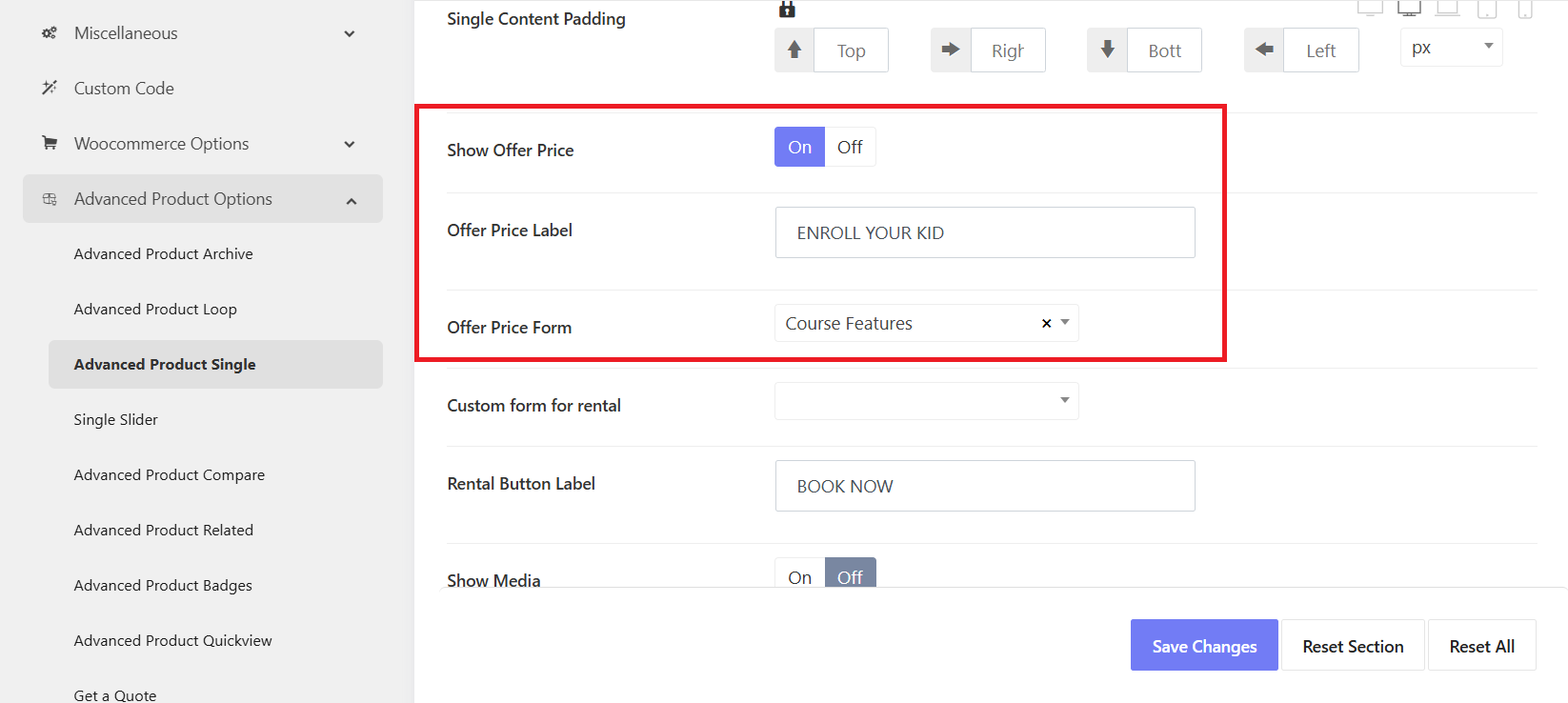
In the single class pages, when clicking on "ENROL YOUR KID", there is a popup form appearing. To change this form, please go to Kandei Options > Settings > Advanced Products options > Advanced Products Single
- Show Office Price: Enable this option
- Offer Price Label: Change the button text
- Office Price Form: Choose a form from WPForms. Or you can also choose Custom option. Then add a shortcode of your custom form.
To change the form's CTA button, you can edit it in the Class Features form in WPForms.