Choose a class page
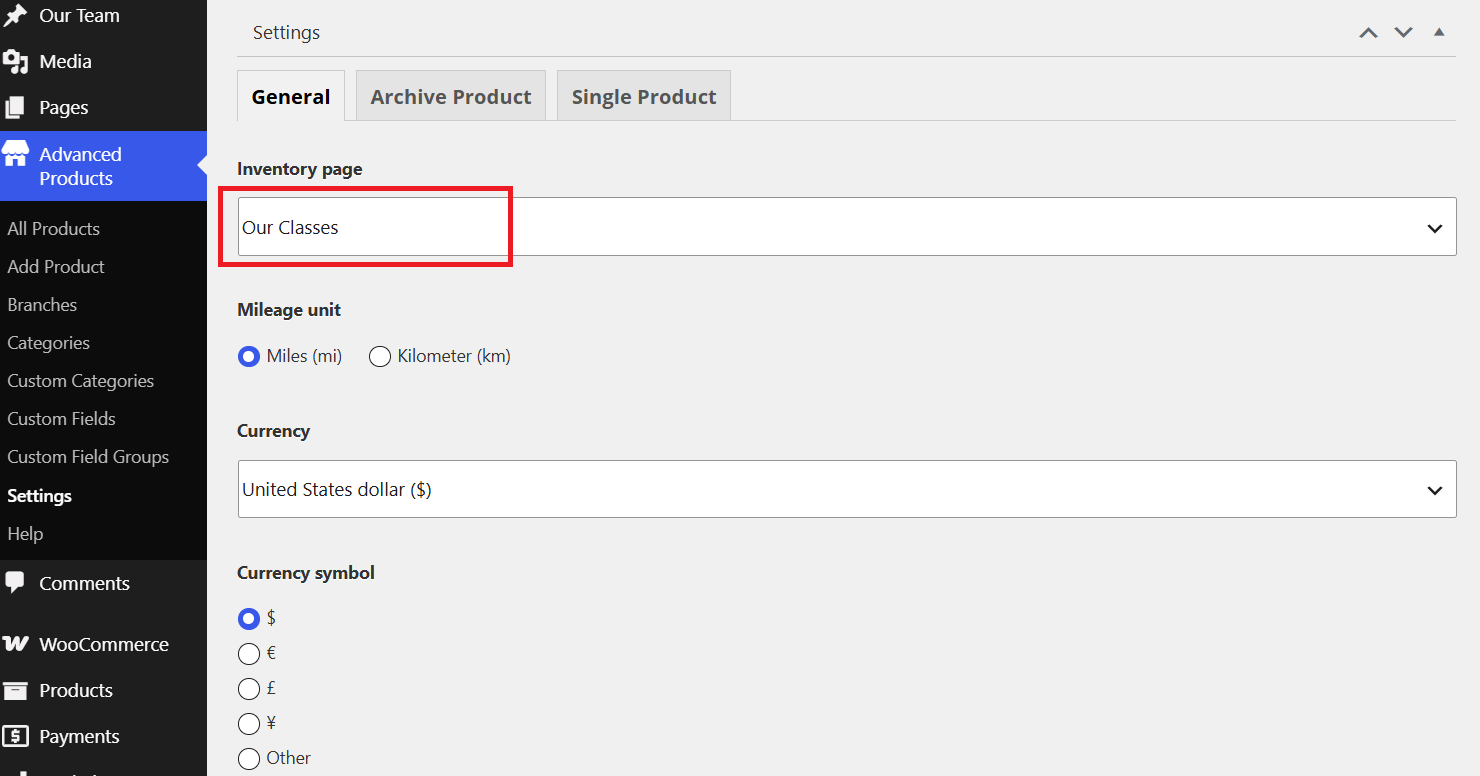
To showcase your class page, you should go to Advanced Products > Settings > General tab > Choose the page "Our Classes" from the list.
If you haven't had a class page in the list, please go to Pages > Add a new one.
Assign a template to class page
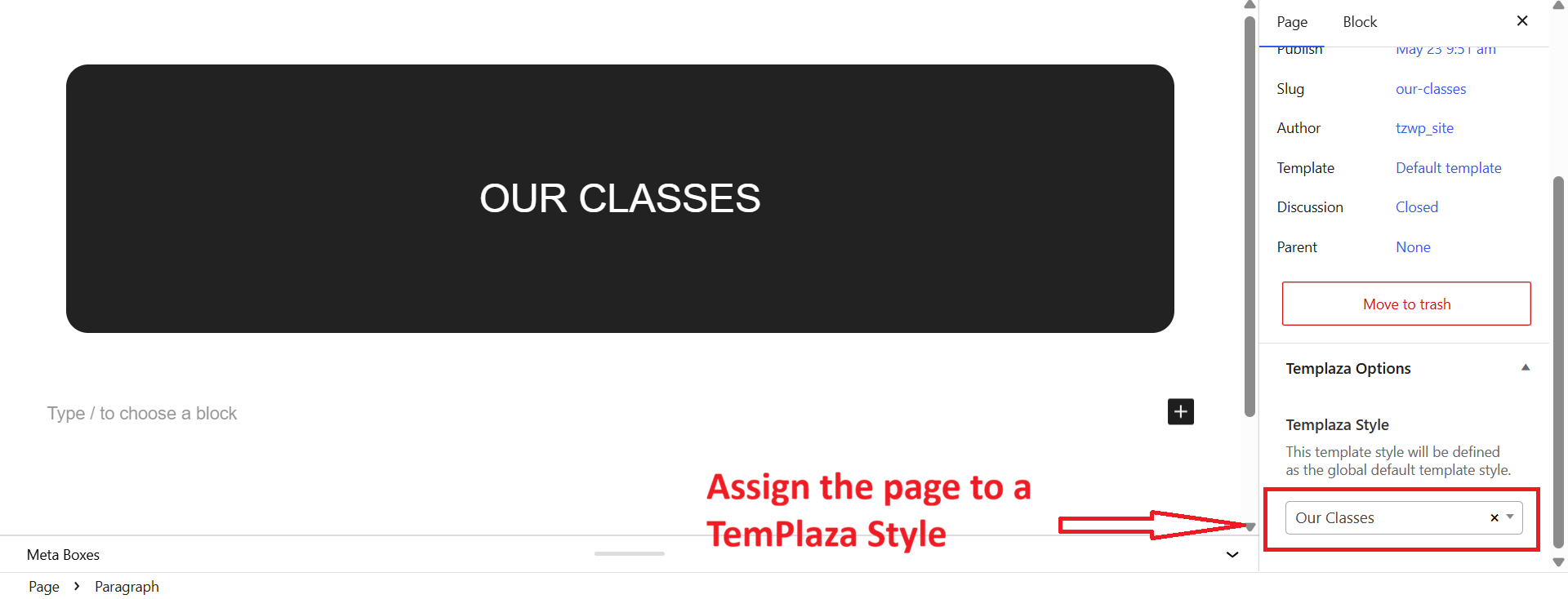
Our Class page should be assigned to the TemPlaza Style: Our Classes. You can go to Pages > Navigate and edit Our Classes page > then on the right sidebar, you can see TemPlaza Style option > Choose the template.
Assign templates to archived class pages and single class pages
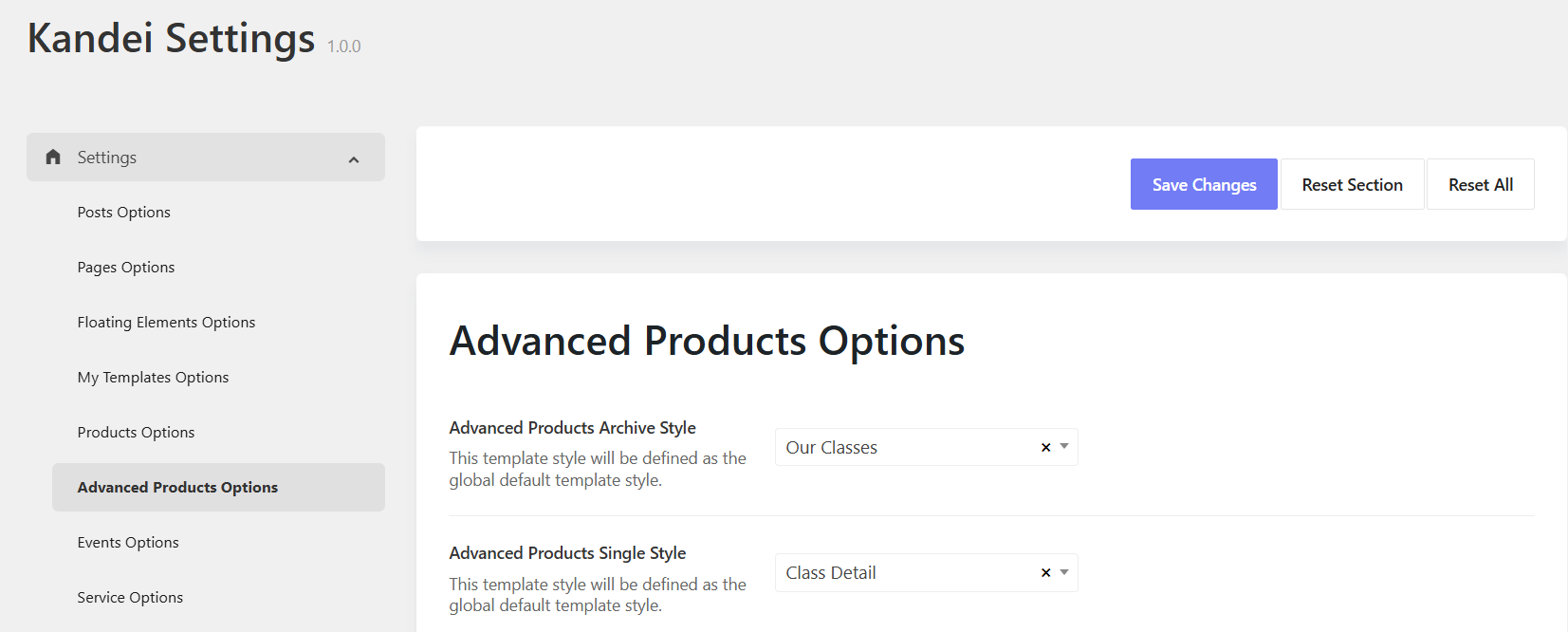
To assign a template style for single class page, you should go to Kandei Options > Settings > Settings > Advanced Products Options.
- Advanced Products Archived Style: > Our Classes
- Advanced products Single Style: > Class Detail
Advanced Products Options*
Please go to Kandei Options > Settings > Advanced Products Options Here you will find options to configure for:
- Advanced products Archive: Settings for archived pages
- Advanced Products Loop: Settings for product loop
- Advanced products Single: Settings for single classes
- Single Slider: Settings for slider in gallery format type
- Advanced Products Related: Settings for related classes