Blog pages
Blogs pages of the theme were created with UI Posts element. Asa result, to get a blog page, you're supposed to create a new page > edit the page with Elementor > drag & drop UI Posts to the appropriate row and start to configure.
- Choose article resource
- Select categories
- Choose articles order
- Limit articles

Blog Columns:
To create blog columns, you should configure the large desktop columns, desktop columns, laptop columns, tablet columns, mobile columns
Blog Masonry
To get the masonry layout, you should enable the Masonry option
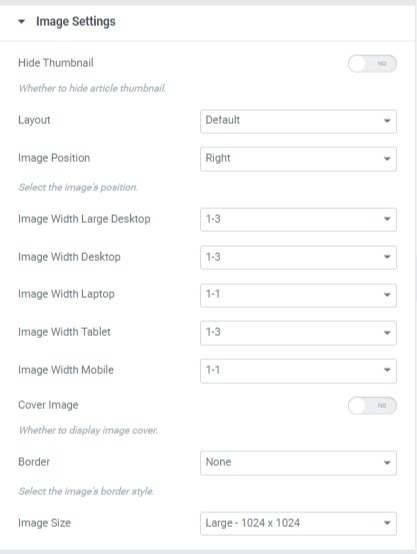
Blog Image Left & Right
If you're interested in displaying articles' images on the left or right, go to the Image Settings > Choose Image position (left or right)