Alita – Services
a To setup Service Page You have to install require plugins included: Elementor Website Builder and TemPlaza Elements.

The Services Page uses different Elementor widgets.
Steps to Create the Service Demo Menu Items
The Service page on the demo site uses TemPlaza: Heading, UI Text, UI Card, Testimonials, UI Image, UI Marker & UI Icon widgets to display the Content.
Here is a guide to create Service Page:
Step 1: Create a template site
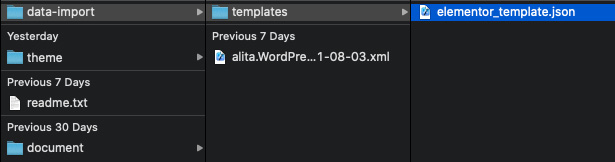
- Go to unzipped folder -> data-import -> templates -> elementor_template.json
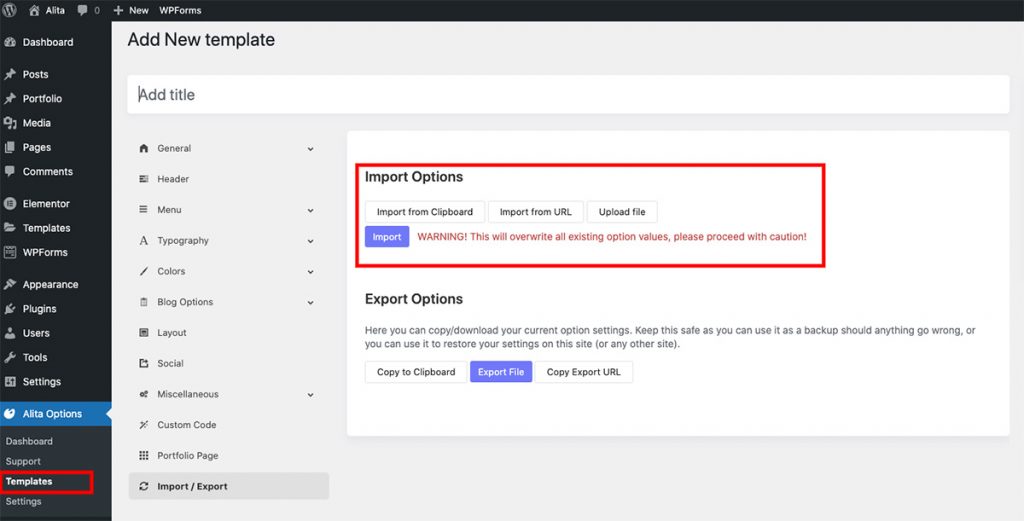
- Go to wp-admin -> Alita Options -> Templates -> Click “Add New” -> Import / Export
- Insert Template title -> Click Publish
Step 2: Create a new page
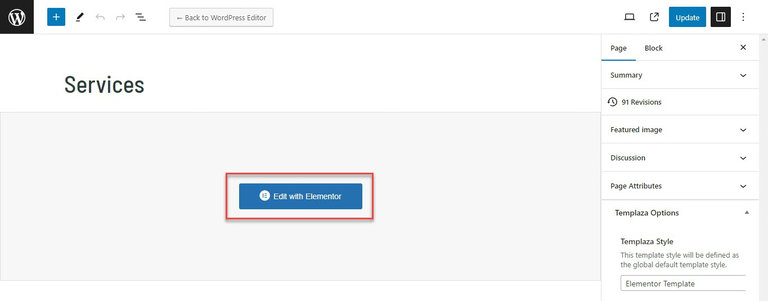
Go to wp-admin -> Pages -> Add New Page -> Edit with Elementor -> Publish
Step 3: Configure Elementor widgets
Service Page uses TemPlaza: Heading, UI Text, UI Accordion, UI Card, Testimonials, UI Image, UI Marker & UI Icon widgets.
1.Heading section
The heading section uses TemPlaza: UI Text
2.About Company
About Company section uses TemPlaza: UI Text, UI Accordion
2.1. 10 Years’ Experience In It
Use UI Text to setup Title and Content. To set up likes demo please use code below:
<div class="uk-flex-inline uk-flex-bottom"><span class="uk-text-bold uk-margin-small-right" style="font-size: 180px; color: rgb(235, 43, 122); line-height: 0.82;">10</span> Years’ experience in IT</div>
Use UI Text to display content use style Lead to display content.
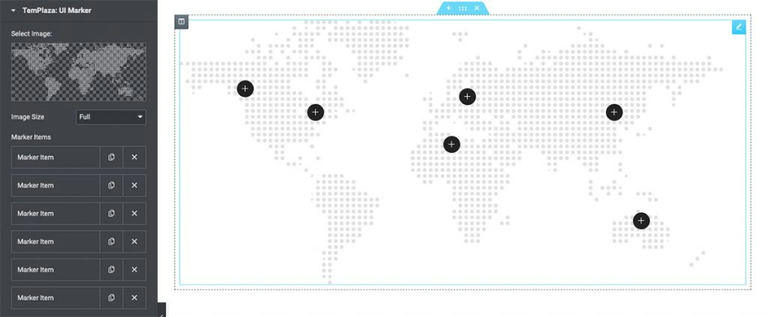
2.2. World Map with UI Marker
Use UI Marker to setup Map and marker.
3.Feature Box Section
Feature Box section uses TemPlaza: UI Card. Add section with 3 columns -> Drag ‘n drop TemPlaza UI Card Widget.
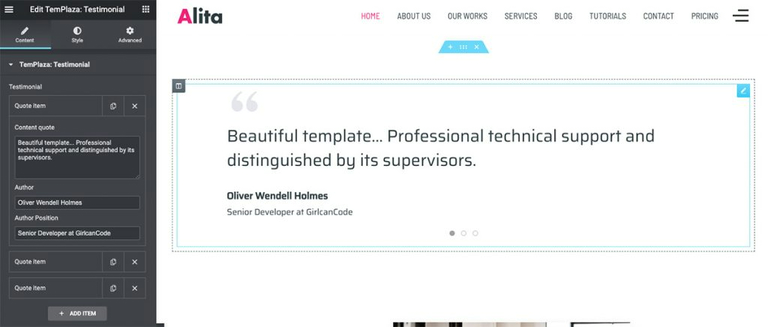
4.Testimonials
5.Image Section
Image section uses UI Image.
6.Our Services
Our Services uses UI Text and UI Card for info box. Add section with 2 columns -> Drag ‘n drop TemPlaza UI Card Widget.
7.Call to action section
Call to Action section uses TemPlaza Heading and UI Icon.