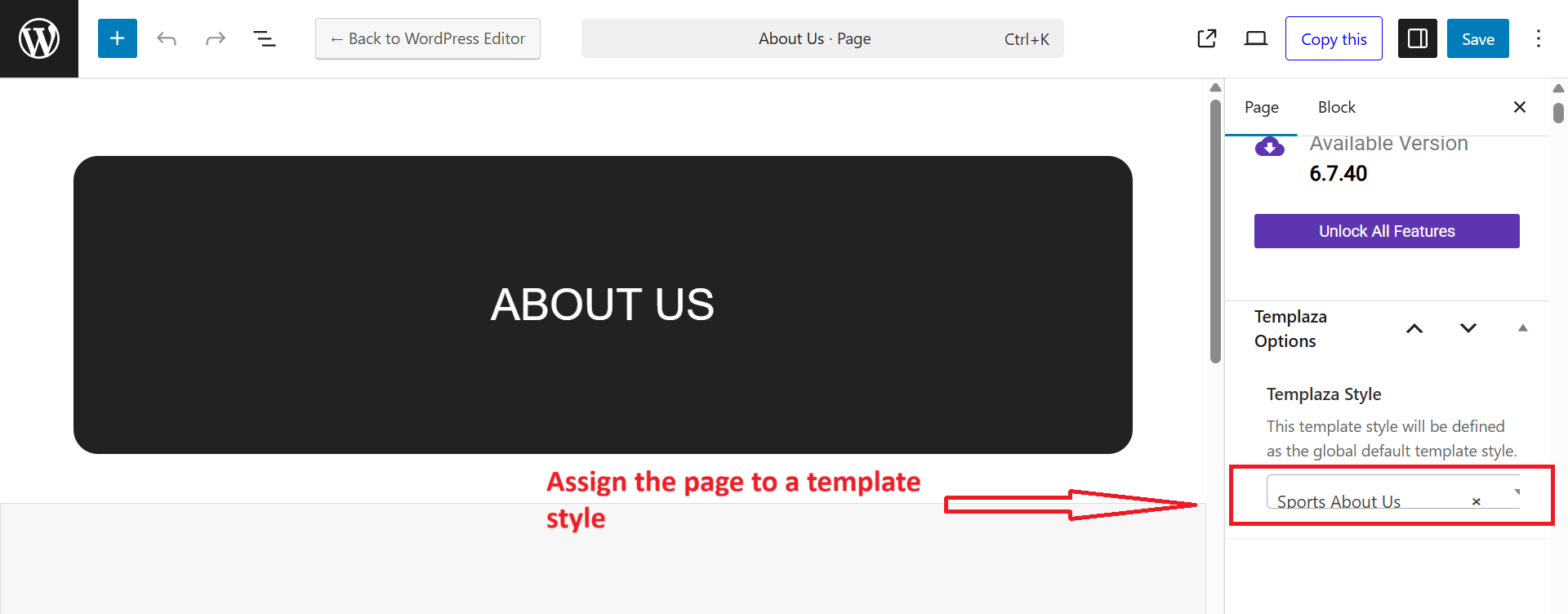
How to change a breadcrumb image
You can see the breadcrumb section available on inner pages and it contains a background image.

So to change this background image, please go to Sport Options > Templates > Open each template.
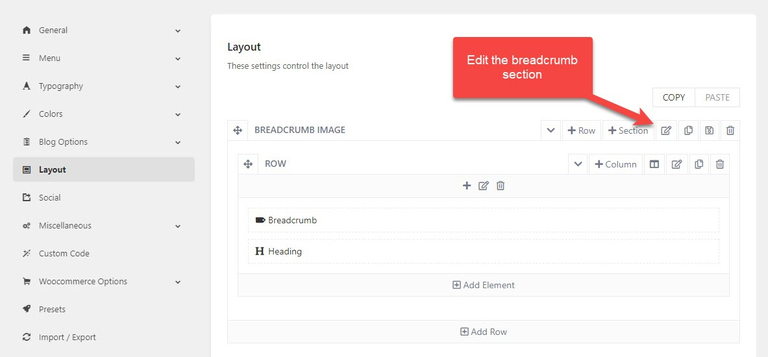
- You should go to Sport Options > Templates > ex: Sport courts > Layout.
- Edit the Breadcrumb section > Design Settings tab > Change the background image.
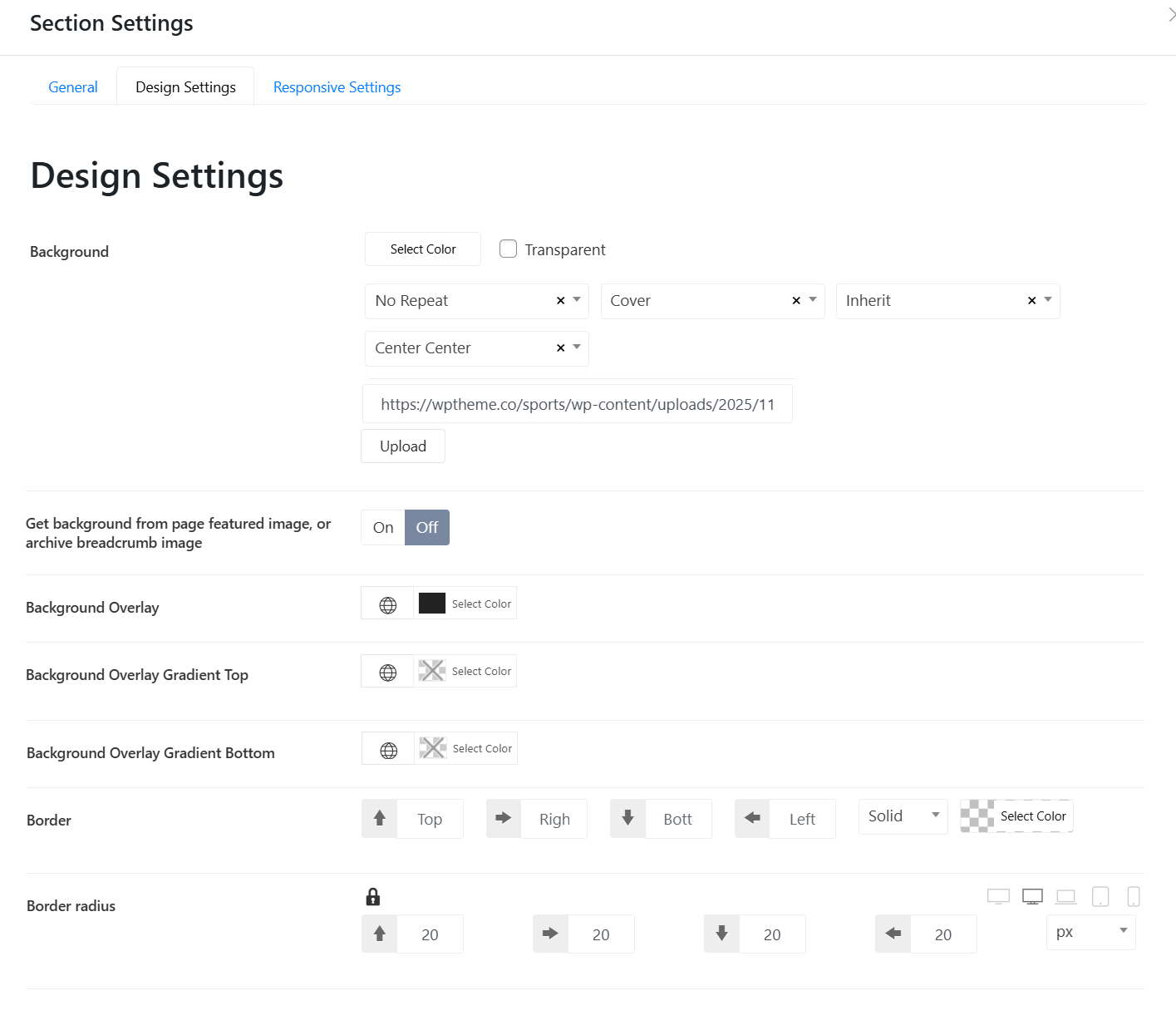
- Get background from page featured image, or archive breadcrumb image: If you upload a featured image for a page, this option will display the featured image in the breadcrumb section.
- Background Overlay: Change the background overlay of the breadcrumb image
- Background Overlay Gradient Top: Set the gradient color top
- Background Overlay Gradient Bottom: Set the gradient color bottom
- Border: Adjust the breadcrumb's border
- Border Radius: Set the border radius of the breadcrumb image. If you don't want the border radius, set 0 for all.
Create different breadcrumb images on various pages
In case you're not fond of having the same breadcrumb image on many pages, just read my below suggestion. You should duplicate a template, and edit the duplicated template > edit its layout > Change the breadcrumb image
Go to Pages > Edit your page > Assign each page to a corresponding template by choosing a TemPlaza style.