Blog Single Options
The Blog Single settings allow you to control the layout, visibility, and styling of individual blog post pages. These options help ensure consistency in presentation while giving flexibility to match your website’s design.
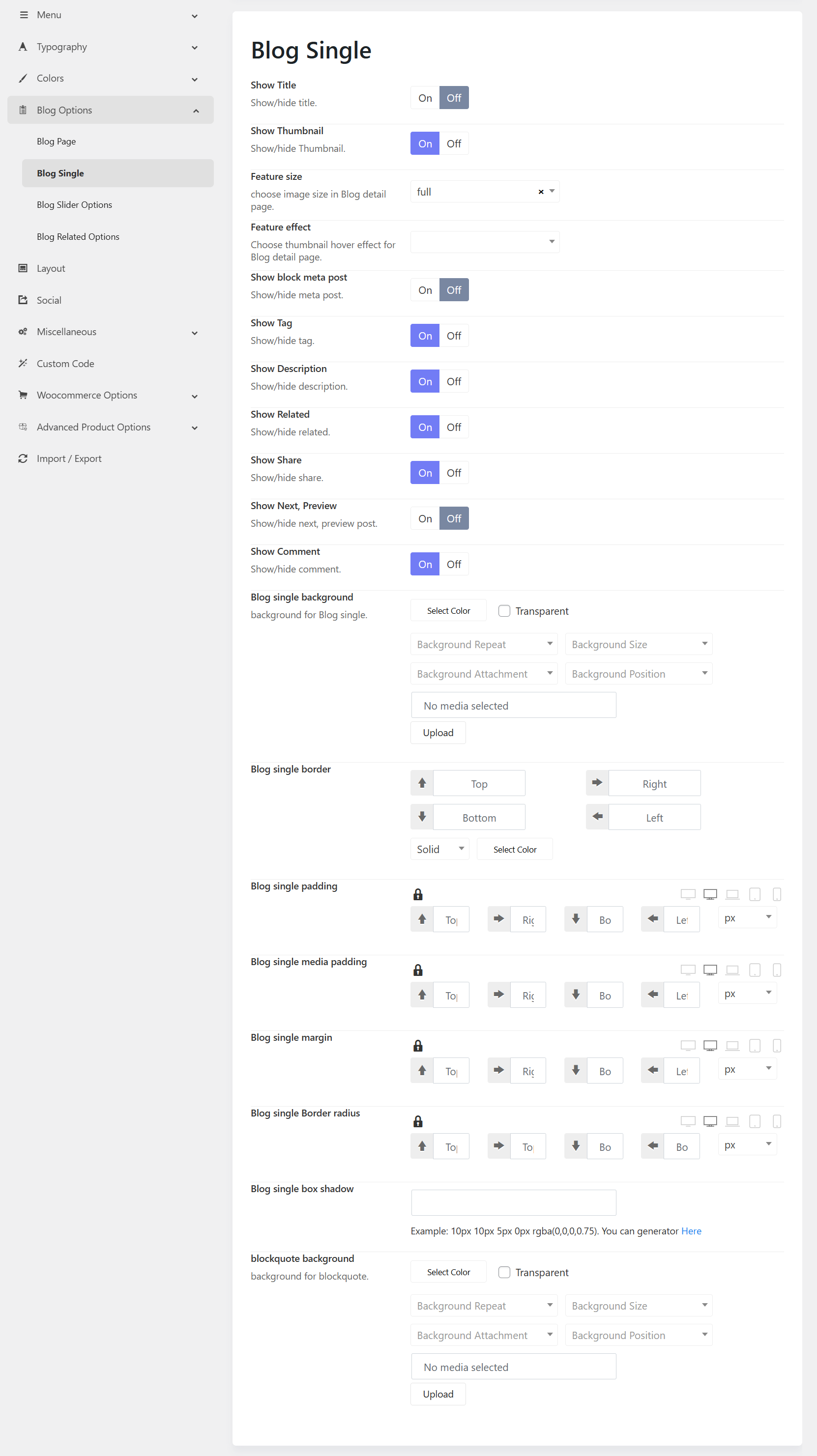
1. Display Settings
These options control the visibility of key elements within a single blog post.
-
Show Title Enable or disable the display of the post title.
-
Show Thumbnail Show or hide the featured image associated with the post.
-
Feature Size Select the size of the featured image (e.g., full, medium, thumbnail).
-
Feature Effect Apply a hover effect to the featured image for enhanced visual interaction.
2. Post Information
Manage the visibility of post metadata and descriptive content.
-
Show Block Meta Post Display post metadata such as author name, publish date, and category.
-
Show Tag Enable or disable the display of post tags.
-
Show Description Show or hide the post excerpt or summary.
3. Navigation & Interaction
Enhance user engagement and navigation between posts.
-
Show Related Display a list of related posts based on category or tags.
-
Show Share Enable social media sharing buttons for the post.
-
Show Next, Preview Show navigation links to the next and previous posts.
-
Show Comment Enable or disable the comment section for user interaction.
4. Styling Options
Customize the visual appearance of the blog single page.
Background
-
Blog Single Background Set a background color or upload a background image. Additional controls include:
- Background Repeat
- Background Size
- Background Attachment
- Background Position
Border
- Blog Single Border Configure border width for each side (top, right, bottom, left), select border style, and define border color.
Spacing
-
Blog Single Padding Adjust the inner spacing within the blog container.
-
Blog Single Media Padding Control spacing around images and media elements.
-
Blog Single Margin Define the outer spacing around the blog container.
Border Radius
- Blog Single Border Radius Set the roundness of the container corners.
Box Shadow
- Blog Single Box Shadow Apply shadow effects to create depth and visual hierarchy.
5. Blockquote Styling
- Blockquote Background Customize the background color or image for blockquote elements within the post content.