Blog Related Options
The Blog Related settings allow you to control how related posts are displayed on a blog article page. These options help improve content discovery and encourage visitors to explore more articles.
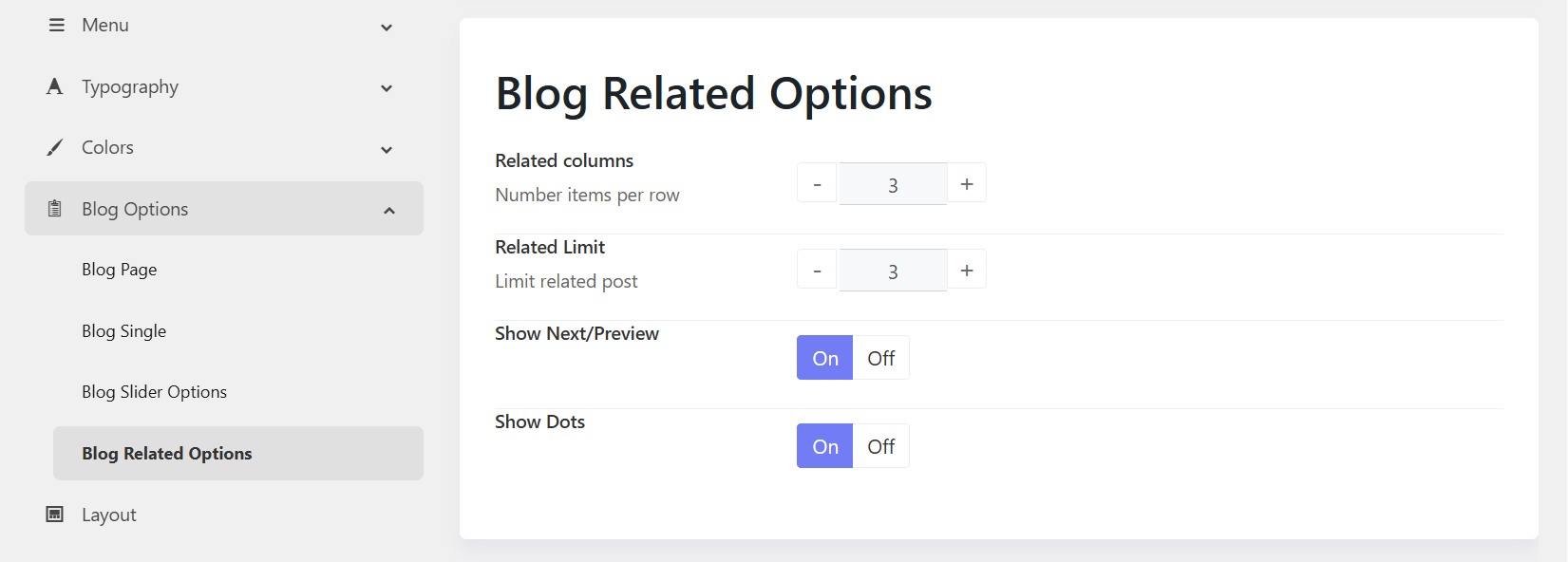
1. Related Columns
Purpose: Defines the number of related posts displayed in each row.
- 2 Columns – Displays 2 related posts per row.
- 3 Columns – Displays 3 related posts per row.
- 4 Columns – Displays 4 related posts per row.
When to use:
- Use fewer columns for larger post thumbnails and titles.
- Use more columns to display more content at once.
2. Related Limit
Purpose: Controls the total number of related posts displayed.
Example:
- 3 – Displays up to 3 related posts.
- 6 – Displays up to 6 related posts.
3. Show Next/Previous
Purpose: Displays navigation arrows for the related post slider.
- On – Shows Previous and Next arrows.
- Off – Hides navigation arrows.
When to use:
- Enable when displaying multiple related posts in a carousel.
- Disable for a simpler, cleaner appearance.
4. Show Dots
Purpose: Displays pagination dots below the related post slider.
- On – Shows navigation dots indicating the number of slides.
- Off – Hides the pagination dots.
When to use:
- Enable to help visitors understand how many slides are available.
- Disable when using arrow navigation only or when displaying a small number of related posts.