Inventory FAQs
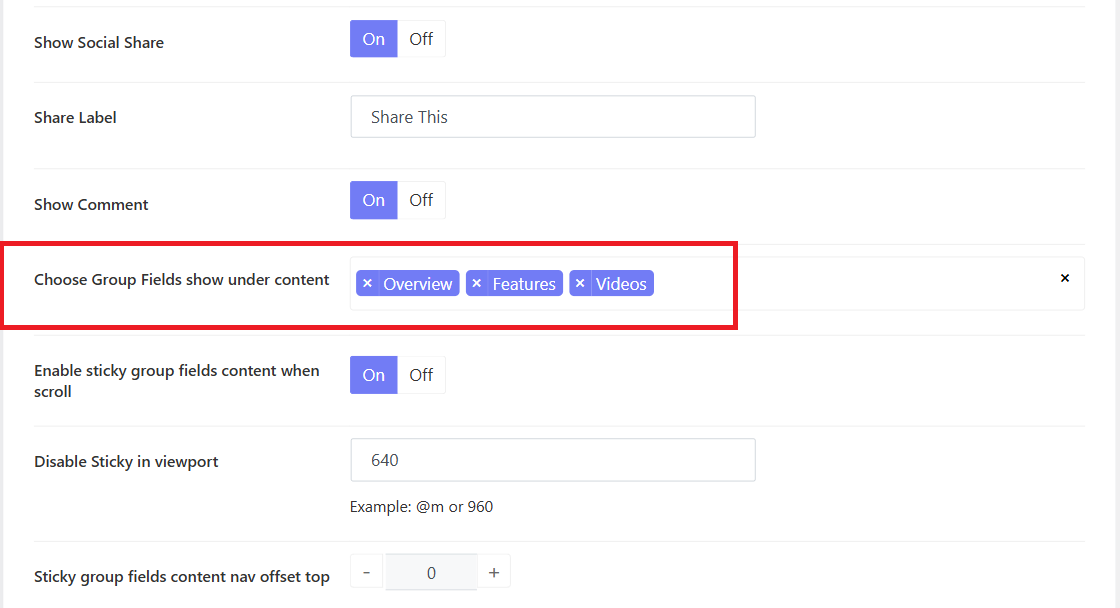
1.How to add or remove product tabs
You can see there are 3 main tabs on the single advanced product page (Overview, Features, and Videos). You can go to Vonux Options > Settings > Advanced Products Options > Advanced Products Single > Choose group fields show under content. Here you can add more or remove each one.
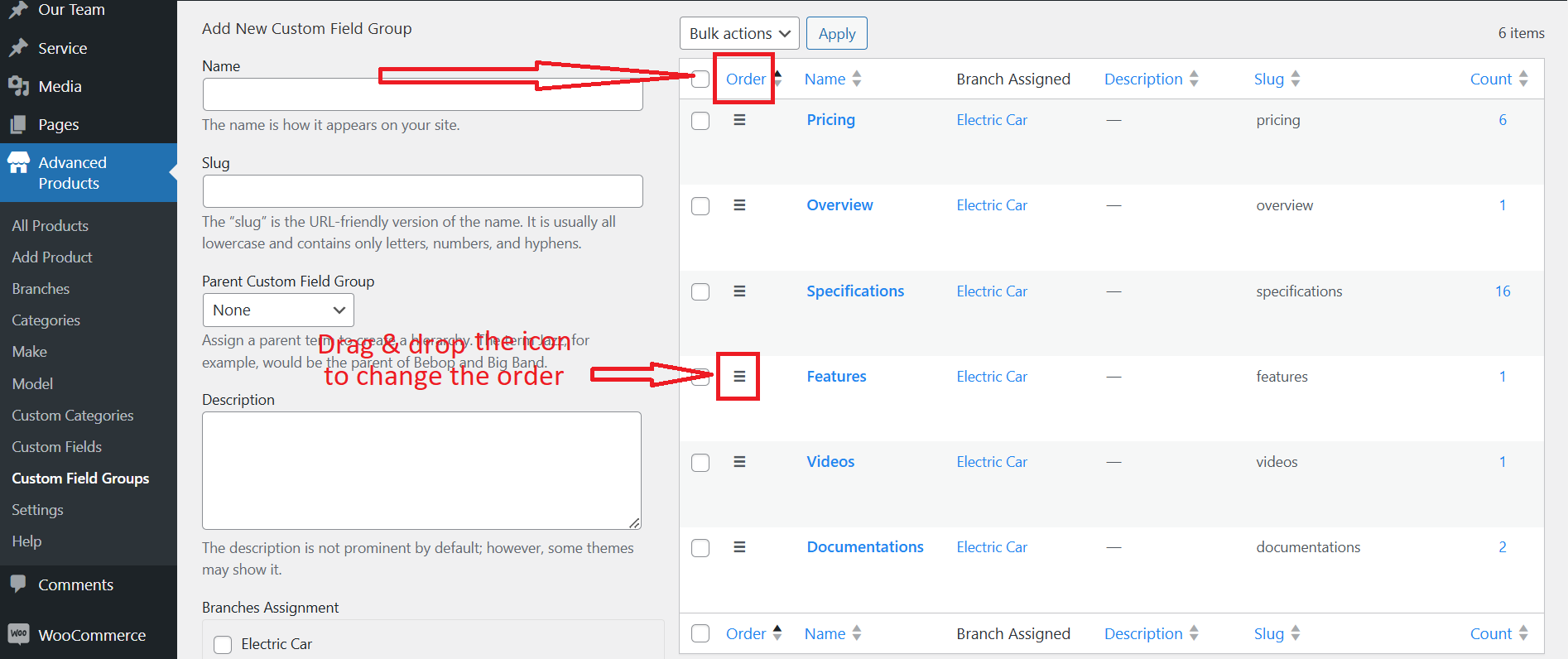
2.How to reorder the product tabs

In case you would like to reorder these product tabs, you should go to Advanced Products > Custom Fields Groups > Click on the "Order" to activate the custom order.
Then drag and drop the icon in front of each field group to create a suitable order.
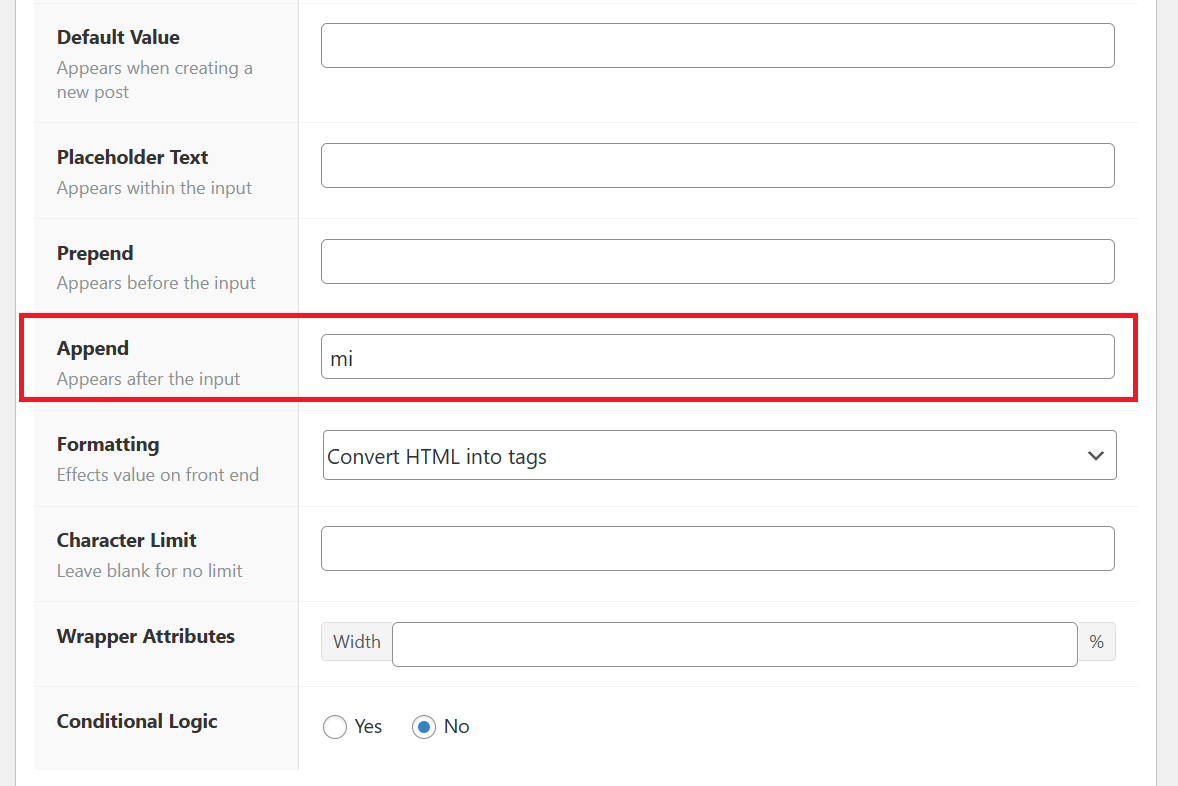
3.How to change the field unit
For example: the field Mileage is attached with the Mi unit after each value. To change the unit, you can go to Advanced Products > Custom Fields > Navigate the Mileage field > Change the Apprend option.