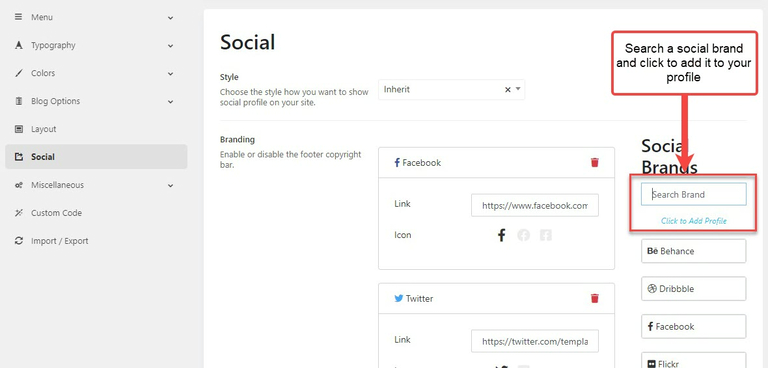
Social Profile
This social section will help you to create a social profile on your website.

How to add social icons to the footer or header
The framework allows you to add social icons to a header, a footer or anywhere you want on the website.
You should go to your Theme Options (ex: Autobike Options) > Footer > Layout > edit the layout and add the social widget to the layout.
How to change the social URLs
After adding the social widget to the footer or header layout, you can go to Admin > Theme Options > Settings > Social > Search or drag a social brand on the right side and drop it to the left under branding.